The short answer: stage more than about 8 images a year and the subscription wins
Virtual staging comes in two pricing shapes: a subscription with a monthly photo allowance, and pay per image with no commitment. Roundups quote both shapes side by side without converting them, so agents compare $19 a month against $30 an image and learn nothing. Converted to the unit that matters, the cost of staging one listing, the answer is clean, and the break-even between the models sits at roughly 8 images a year.
| Model | Price | 1 room | 5 rooms (one listing) | 20 images |
|---|
| Virtual Staging AI Basic | $16/mo billed yearly, 6 photos/mo | $16 in a month you use it | $16 (within allowance) | Not in one month's allowance |
| Virtual Staging AI Standard | $19/mo billed yearly, 20 photos/mo | $19 | $19 (four listings' worth of rooms) | $19 |
| BoxBrownie.com | US$30 per image, no subscription | $30 | $150 | $600 |
Prices verified on the vendors' own pages on November 19, 2026. Now the honest annual math. Standard costs $228 a year. At BoxBrownie's $30 an image, $228 buys about 7.6 images. So: if you stage more than about 8 images in a year, which is two modest listings, the Standard subscription is the cheaper machine. Below that, pay per image and keep the commitment at zero. Basic at $192 a year breaks even at about 6.4 images, but its 6-photo monthly allowance fits only one small listing a month, so it serves the occasional lister who still prefers a subscription's workflow.
The subscription model: Virtual Staging AI
Virtual Staging AI is the AI-native route: upload an empty room photo, choose a style, receive a furnished render in seconds to minutes. Its plans are billed yearly and priced by monthly photo allowance: Basic at $16 a month for 6 photos, Standard at $19 for 20, Professional at $39 for 60, Enterprise at $79 for 150. Standard is the tier most working agents land on, because 20 photos covers the key rooms of about four average listings a month, and the jump from Basic is $3 for more than triple the allowance, the most obvious $3 in this guide.
The model's strengths are speed and marginal cost. At full use, a Standard photo costs $0.95, which changes agent behaviour in a good way: you stage the second bedroom and the awkward den as well, not just the living room, because the allowance is already paid. Its weaknesses are the subscription's usual ones: you pay in the month you list nothing, unused allowance does not soften that, and AI renders vary with the quality and angle of the source photo. A badly lit, oddly angled empty room produces a staged image with the same problems wearing furniture.
The pay-per-image model: BoxBrownie.com
BoxBrownie sells editing by human editors at per-image prices with no subscription: virtual staging at US$30 per image, 360-degree virtual staging at US$60, and image enhancement at US$2 per image. The economics are the mirror of the subscription: expensive per unit, zero when unused. An agent who stages two listings a year at five rooms each spends $300 and owns no commitment; the same agent on Standard spends $228, which is why the break-even in the opening table matters more than either headline price.
What the $30 buys beyond the render is a human pass: editors who notice the perspective is off, the light direction is wrong, or the furniture scale makes the room look smaller than it is. Turnaround is measured in hours rather than the AI route's seconds, which matters for a listing going live today and not at all for one going live Friday. BoxBrownie's $2 enhancement tier deserves its own mention: for occupied listings that need light, colour, and clutter-adjacent polish rather than furniture, enhancement at $2 an image is the best value transaction in this entire guide, and many agents should buy it for every listing while staging only the empty ones.
Quality, honestly: what each model does to a room
AI staging is fast and improving, and its failure modes are specific: furniture that floats slightly, shadows that disagree with the windows, room proportions subtly flattered, decor in a style no local buyer has ever owned. Human editing is slower and more consistent on realism, at thirty times the marginal price. For the listing photos that carry a property's first impression, the practical professional standard is a hybrid workflow used by many agents: stage with whichever model your volume dictates, then review every render at full size with a buyer's eyes before it ships, checking scale against door frames and windows, light direction, and whether anything in the room would mislead a viewer about the property itself.
That last check is not aesthetic. It is the boundary of the next section.
Disclosure: the rule that is part of the workflow, not fine print
Virtually staged photos must be disclosed as virtually staged. MLS rules require the label, the listing platforms require it, and the reasoning is older than the technology: a buyer is entitled to know which images show the property and which show a rendering of its possibilities. The compliant workflow is simple and this guide treats it as non-negotiable: label staged images as virtually staged wherever the platform provides the field or caption, include the original empty photo in the listing set, and never let staging alter the property's facts.
The fact line deserves precision, because AI tools make crossing it effortless. Staging may add furniture, decor, and light. It may not remove or change what is structurally or locationally true: no deleting power lines, neighbouring buildings, water towers, or damage; no widening rooms; no replacing a view. Enhancement that corrects a photo's exposure is presentation. Editing that changes what a buyer will find at the address is misrepresentation, and the agent's license, not the software vendor, answers for it. Build the disclosure step into the same checklist as the upload itself, and it costs you ninety seconds a listing.
Preparing photos that stage well
A practical note on counts before the technique: stage by listing type. A vacant standard listing repays four to six staged images (living, kitchen and dining, primary bedroom, one flexible room, and the best secondary space). A small condo repays three. A large home repays six to eight, adding the den, the second living area, and the primary bath only if it photographs as a retreat rather than a bathroom. Those counts are why the allowance math in the opening table maps the way it does: Standard's 20 monthly photos are four standard listings, and an agent listing six homes a month should be pricing Professional's 60 from the start rather than rationing rooms.
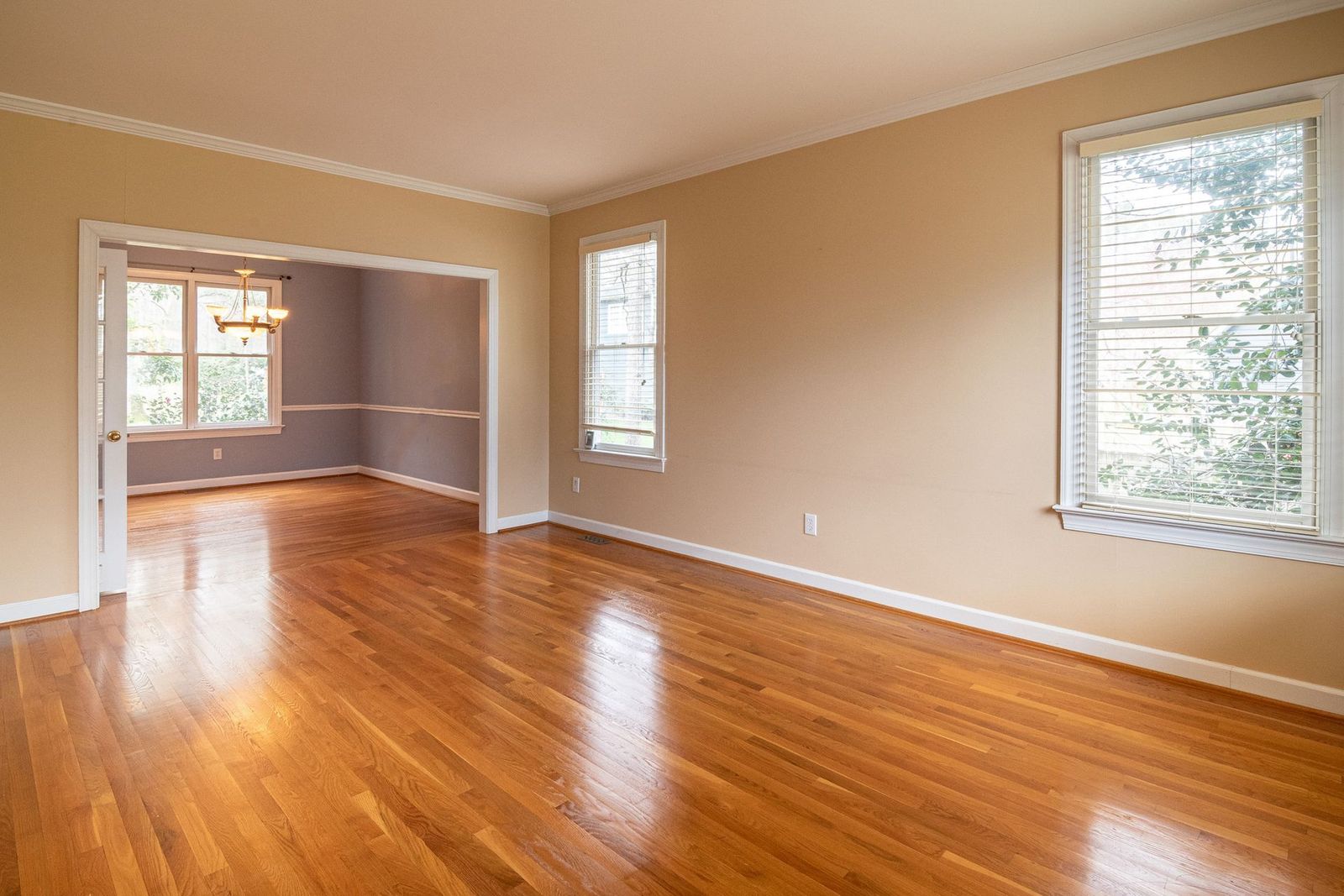
Both models reward the same inputs. Shoot empty rooms from a corner at chest height with the widest honest framing your phone or camera allows, in daylight with curtains open, so the render inherits real light direction. Clear the room completely rather than asking software to declutter around a leftover sofa; decluttered renders smear where objects were. Keep the camera level: a tilted source photo produces staged furniture that leans against physics. Photograph every room you might stage, including the small bedroom and the den, while you are on site; returning for one missed room costs more than any price difference in this guide. And keep the untouched originals in the listing folder, because the disclosure workflow above needs them and because a buyer who asks deserves to see them.
Choosing in one minute
Count last year's staged images, honestly, from your listing history. Fewer than about 8: pay per image with BoxBrownie, and add its $2 enhancement for occupied listings. More than 8, or a pipeline that says this year will be: Virtual Staging AI Standard at $19 a month billed yearly, with Professional at $39 when your monthly rooms pass 20. Either way, wire the disclosure step into your listing checklist today, because it applies to the photos you already have live. Staging sits at the marketing stage of the stack assembled in our software for realtors guide, and the AI context around it is covered in our AI software guide for realtors.
From shoot to live listing: the workflow both models plug into
Staging quality is decided before any software sees a photo, in a sequence worth fixing in your listing process.
At the shoot, walk the property as a buyer and choose the four or five rooms that will carry the listing online, because those are your staging candidates and your photographer's priority. Shoot them empty and uncluttered wherever the seller's situation allows; moving a room's contents to the garage for an hour is cheaper than any decluttering render and looks better than both.
Same day, run the enhancement pass on the full photo set (the $2 per image tier exists for exactly this) so the occupied and exterior shots are at their best, and send the empty key rooms to your staging route. Subscription renders return in minutes and go straight into your review queue; editor renders return within hours and join the same queue.
At review, compare each staged image against its original at full size. Check furniture scale against doors and windows, light direction against the real windows, and floor lines for warping. Reject and redo the failures now; a re-render costs minutes or one image credit, while a buyer spotting floating furniture costs the listing its credibility.
At upload, staged images go in labelled as virtually staged, originals included in the set, in the order a buyer scrolls: staged living room for the impression, original available one tap later for the truth. That pairing, impression plus honesty, is the entire ethics of the category compressed into a sort order.
When not to stage
The honest guide includes the off switch. Do not stage a property whose value is its land, its renovation potential, or its commercial use; buyers of those are pricing dirt and zoning, and furnished renders read as evasion. Do not stage rooms so small that furniture can only mislead; photograph them honestly and let the floor plan carry the dimensions. Do not stage when the seller's budget and timeline make the honest empty photos plus a price that reflects them the stronger strategy; some listings sell faster as transparent projects than as dressed-up puzzles. And do not stage a luxury listing with the fastest AI route when the audience will zoom: at the top of the market, editor quality or a physical stager is the professional standard, and the $30 an image buys the former gladly. Staging is a tool for the large middle of the market, where empty rooms undersell good houses. Used there, with disclosure, it is one of the best returns in an agent's marketing budget.
Related guides
Readers working through this choice usually weigh the options below next. Each one runs the same vendor checked pricing as this guide.
Frequently asked questions
How much does virtual staging cost per listing?
It depends on the model. Staging five key rooms costs $150 pay as you go at BoxBrownie's US$30 per image. On Virtual Staging AI Standard ($19 a month billed yearly, 20 photos a month), the same five rooms come out of the monthly allowance, an effective $4.75 per listing if you use the full allowance across four listings, and $19 total in a month where that listing is your only one.
Is a staging subscription or pay per image cheaper?
The break-even against BoxBrownie's $30 per image is about 8 images a year for Virtual Staging AI Standard ($228 a year) and about 6 images for Basic ($192 a year). Stage more than that and the subscription is cheaper, with faster turnaround besides. Stage less and pay per image, keeping your commitment at zero in quiet months.
Do I have to disclose virtually staged photos?
Yes. Staged images must be labelled as virtually staged under MLS and platform rules, and the original empty photo should be included in the listing set. Staging may add furniture and light; it must not alter the property's structural or locational facts. The disclosure step belongs in your listing checklist, not in your memory.
AI staging or human editors: which looks better?
Human editors (BoxBrownie) are more consistent on realism: perspective, light direction, and furniture scale get a human pass, at US$30 an image and hours of turnaround. AI staging (Virtual Staging AI) returns renders in seconds at under a dollar per photo at full allowance use, with occasional scale and shadow quirks you must catch in review. Volume and deadline decide for most agents; quality review is your job under both models.
Which rooms should I stage?
The rooms that sell the floor plan: living room, primary bedroom, kitchen and dining area, and any room whose purpose is unclear when empty, such as a den or a bonus room. Secondary bedrooms and bathrooms rarely repay staging. Shoot every candidate room while on site, stage the four or five that carry the listing, and keep the originals for the disclosure set.
What is the cheapest useful photo service for occupied listings?
Image enhancement rather than staging: BoxBrownie's enhancement at US$2 per image corrects light, colour, and presentation for homes that are already furnished. It is the highest-value small purchase in this category, and many agents buy it for every listing while reserving full staging for the vacant ones.
Photo credits: Curtis Adams (Pexels). Photos are served from this site; follow the credit to the library page for the original.