Illustrator Alternatives: The Vector Bench Sorted by Job
By the SoftSea editorial team
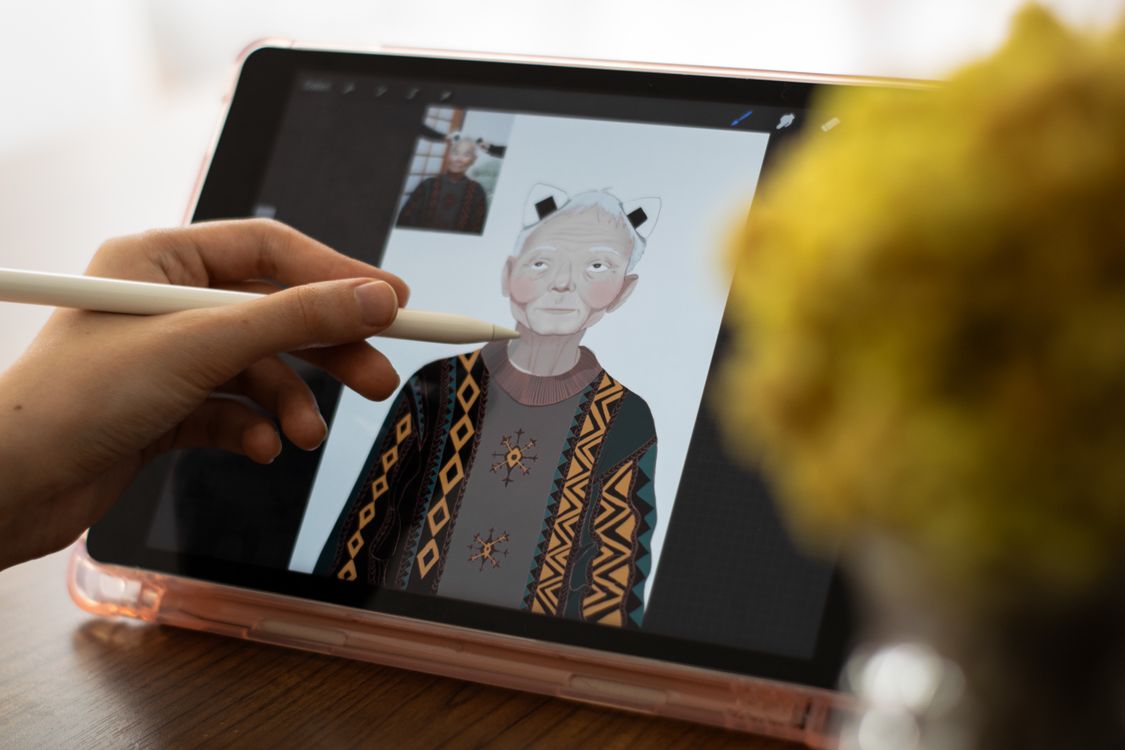
Photo: Berna / Pexels
The premise: sort by job, not by feature list
Every incumbent list for this query ranks the same ten names by feature checklists, and the result misleads in a specific way: it hides the fact that Illustrator's users do at least four different jobs. Brand and logo professionals need path precision, Pantone-era print discipline, and files every print shop on earth can open. Illustrators need drawing feel and brushes that behave. Production and sign shops need layout, output, and a license that does not meter their benches monthly. Interface designers need vector as a collaboration medium, which is a different product entirely. The bench below is graded by job, with prices from vendor reads: Illustrator itself at $22.99 per month billed annually for the single app, Affinity now free (the full app, since Canva's October 2025 relaunch; its AI features require a paid Canva plan), Inkscape free under the GPL, and CorelDRAW at $269 per year or $549 perpetual in current reads.
Destination
Job it wins
Terms in our dataset
Affinity
Professional illustration and brand
Free since October 2025; AI features need paid Canva
Inkscape
Open, SVG-native vector work
Free forever, GPL
CorelDRAW
Print and production shops
$269 per year or $549 one-time
Figma
Interface and collaborative vector
Starter free; Professional Full seat $16 billed monthly
Illustrator
The incumbent
$22.99 per month billed annually
Grading the flagship bench
Affinity is the headline because its price moved: the full vector application (the former Designer, unified with Photo and Publisher in the relaunch) is free with a Canva account, with AI features gated behind a paid Canva plan. As an editor it is the closest peer Illustrator has: precise pen tooling, strong typography, persona-based workspaces, and one-time-purchase heritage that made it the default exit for a decade. The honest questions are strategic rather than functional: Canva's ownership, the account requirement, and whether the free terms persist. On capability per dollar today, nothing else is close, and the comparison tool on this page puts it beside Illustrator and Inkscape so the trade is explicit.
Inkscape is the open answer and the SVG-native one: paths, booleans, and illustration tooling with SVG as the file format itself rather than an export. Version 1.4.4 (May 2026) continues a steady release cadence under the GPL. Its limits are the familiar ones: no template or stock culture, an interface that rewards learning over speed, and print-shop diplomacy that runs through PDF rather than native AI files. The open source guide grades Inkscape's license bench in full (Penpot, Graphite, Karbon), and the Linux guide grades it as the anchor of the native Linux stack, since Adobe ships no Linux Illustrator at all.
CorelDRAW is the production answer, particularly for sign, embroidery, and print shops on Windows, where its layout-plus-vector suite and output tooling are the incumbent culture. Its menu still includes what Adobe abolished: a perpetual license at $549 one-time beside the $269 per year subscription. Figma is the collaboration answer: when the vector work is interface components, icons in a design system, and files a whole team edits live, Figma's Starter tier is free and its Professional Full seat reads $16 billed monthly in our dataset; it is not an illustration tool and should not be bought as one. The calculator on this page prices the Illustrator subscription honestly so the stay case is graded with the exits.
Interactive tool
Comparison Builder
Pick two or three products and see them side by side on the numbers that decide the purchase.
Measure
Adobe Illustrator
Affinity
Inkscape
Starting paid price
$22.99 per user/mo, billed annually
Free
Free
Free option
No free plan: a trial is offered; no native Android or Linux app exists
Free plan: the full Affinity app free since the October 2025 relaunch; a free Canva account is required
Free plan: the whole editor is free and open source; there is no paid tier
Plans
Illustrator single app (annual plan): $22.99/user/mo annual
Free: free
Inkscape: free
Platforms
Windows, macOS, iPad
Windows, macOS, iPad
Windows, macOS, Linux
Best for
professional brand and logo work, print production, studios standardized on Creative Cloud
designers leaving Adobe subscriptions, photographers who retouch more than they organize, Canva users stepping up
logos and icons, vector illustration, print-ready SVG work
Strengths
The reference tool for logo and brand work; Deepest plugin, script, and print ecosystem; Native iPad app with Pencil support
Professional layer editing and RAW development at $0; One app covers photo, vector, and layout personas; PSD and standard format support is strong
Professional path editing and Boolean operations; SVG-native, so files stay open and portable; No account, no AI, no subscription at any point
Watch out for
Subscription only; the file format gravity is the lock-in; No Android app at all and no Linux app; Overkill for occasional vector tasks
Requires a Canva account; not account-free like the open-source tools; AI features are paywalled behind Canva plans; No Lightroom-style catalog depth
No template library or stock assets; A drawing tool, not a layout or social graphics tool; Interface rewards learning, not speed
Lowest entry price: Affinity at Free per month flat. Real free plan: Affinity, Inkscape. Entry price is the floor, not the decision: check the plan line above for the tier that actually includes the feature you need.
All figures from vendor pricing pages, checked November 18, 2026. Some vendors price by contacts, tasks, or operations instead of seats; those notes are in the plan data and the linked pricing guides.
The platform questions live in their own guides
This cluster is deliberately split, because the platform benches are disjoint and merging them produces the mush the incumbents publish. There is no Illustrator for Android at all (Adobe's Draw app was discontinued in 2022), so the Android guide grades the Android-native bench (Infinite Design, Concepts) and the workaround paths. On iPad the situation inverts: Illustrator exists natively there, so the iPad guide grades a Pencil bench (Affinity for iPad, Linearity Curve) against a real incumbent. The Mac guide grades the Mac-native bench (Amadine at a $29.99 one-time price, Sketch, Linearity) for buyers leaving Adobe on Apple's desktop. Each guide owns its bench and links back here for the general field; none re-grades another's.
The migration discipline that applies across all of them: test your real files before committing. Export a working logo suite as SVG and PDF from the candidate, open the results in the tool your print shop or client uses, and check fonts, gradients, and spot color expectations. Vector lock-in is quieter than document lock-in but just as real, and one afternoon of file tests is the entire cost of finding out.
Interactive tool
SaaS Cost Calculator
The per-seat price is the small number. This is the real one: your team, a full year, both billing cycles.
Adobe Illustrator Illustrator single app (annual plan) for 10 seats
$2,758.80 per year
Billed annually: $229.90 per month equivalent, paid once a year.
Billed monthly instead: $2,758.80 per year.
No annual discount on these figures, so monthly billing costs nothing extra and keeps you free to leave.
Bar: annual-billing cost as a share of monthly-billing cost for the same seats.
Plan prices from vendor pricing pages, checked November 18, 2026. Taxes, add-ons, and usage overages are not included, because vendors do not include them in the headline price either.
The verdict by job
Brand and illustration professionals: Affinity first, on capability per dollar, with Illustrator kept where client pipelines demand native AI files. Open and SVG-native work: Inkscape, with the open source guide's bench behind it. Print and production shops: CorelDRAW, perpetual if the shop's economics prefer owning. Interface vector: Figma, bought as collaboration, not illustration. And the honest stay case: studios whose clients, printers, and muscle memory all run on Illustrator are paying $22.99 a month for an ecosystem, which can be the correct purchase; this cluster exists for everyone whose job fits a narrower, cheaper bench.
Related guides
More from this corner of the chart: these companion guides compare the nearest alternatives and head to head matchups.
What is the best alternative to Adobe Illustrator?
Affinity for most professionals: the full app has been free since Canva's October 2025 relaunch (AI features need a paid Canva plan), and its vector tooling is the closest peer to Illustrator's. Inkscape wins for open source and SVG-native work, CorelDRAW for print and sign production, Figma for interface vector work.
How much does Illustrator cost on its own?
The single-app plan is $22.99 per month billed annually in current Adobe reads. There is no perpetual license and no free tier beyond a trial, which is the economic fact that powers this entire category.
Is Affinity really free now?
Yes, with precision: since October 2025 the full Affinity application is free with a Canva account. The AI features require a paid Canva plan. Older roundups quoting a one-time $69.99 price are describing the retired V2 licensing.
Can these tools open and save Illustrator files?
Most open AI and PDF files competently, and all serious candidates export SVG and PDF, which is the practical interchange. Test your real files: gradients, meshes, and spot colors are where round trips fail, and print handoff should be agreed in PDF terms rather than promised in AI terms.
Which alternative should a beginner learn?
Inkscape if the budget is zero and the platform is a desktop: it teaches real vector fundamentals in the format (SVG) the web runs on. Affinity if the goal is professional illustration work soon, since its interface conventions sit closest to the industry tool.
Photo credits: Berna (Pexels). Photos are served from this site; follow the credit to the library page for the original.